Visual lessons
Follow silent, chapter-based explanations with illustrative diagrams and a guide that keeps your place.
 TrustStack AcademyCOMPUTER FUNDAMENTALSRegister free ?
A practical computing foundation for Akwa Ibom people. Build the knowledge, confidence and technical thinking to take your next step.

An independent TrustStack Academy initiative supporting Governor Umo Eno's ARISE Agenda priorities in education and skills development.
Target = 3690 learners | 10/Ward

FOUNDER
A technology leader and cybersecurity innovator focused on turning cybersecurity challenges into practical learning systems, trusted digital products and accessible opportunities for learners and organisations worldwide.
Proud sponsor of this free programme for Akwa Ibom people.Clear explanations and active learning, built around the computing skills that cybersecurity depends on.
Follow silent, chapter-based explanations with illustrative diagrams and a guide that keeps your place.
Turn unfamiliar terms into familiar ideas. Flip, recall and revisit the concepts you want to strengthen.
Interpret commands, logs and scenarios, then check your understanding with explanations and retry opportunities.
Explore selected free YouTube lessons in a separate resource tab when you want another explanation.
Ask questions, share study notes, and learn with fellow course participants.
Open discussion boardFourteen connected modules, progressing from how a computer works to an integrated computing capstone.
Hardware, software, firmware, clients and servers. Follow information from input to processing, storage and output.
YOU WILL PRACTISEMap a computer system.
Explore processors, RAM, storage, peripherals and the boot process. Understand volatile and persistent data.
YOU WILL PRACTISEInspect your system specifications.
Bits, bytes, binary, hexadecimal, file formats, timestamps and Boolean logic. Distinguish encoding, hashing and encryption.
YOU WILL PRACTISEInterpret files and timestamps.
Processes, services, paths, permissions and resource management. Discover how applications work with an operating system.
YOU WILL PRACTISETrace a file and a running process.
Accounts, groups, NTFS permissions, Task Manager, Event Viewer, services and introductory PowerShell.
YOU WILL PRACTISEInterpret Windows events and permissions.
Navigate directories, manage files, inspect users, understand permissions and filter text with pipes and redirection.
YOU WILL PRACTISEWork through a simulated Linux terminal.
TCP/IP, network devices, addressing, subnetting essentials, gateways, ports and common protocols.
YOU WILL PRACTISEExplain a small network connection.
DNS, DHCP, HTTP, HTTPS, TLS, cookies, sessions and email headers. Follow a request from browser to server.
YOU WILL PRACTISETrace a web request.
Algorithms, variables, conditions, loops, functions, files, Python basics and introductory shell scripting.
YOU WILL PRACTISERead and summarise synthetic logs.
CSV, JSON, database tables, keys, introductory SQL and API requests. Understand configuration and secrets.
YOU WILL PRACTISEInterpret a database query and JSON response.
Understand virtual machines, containers, snapshots, cloud service models and shared responsibility through illustrations.
YOU WILL PRACTISECompare a host, VM and cloud service.
Establish baselines, test hypotheses, interpret logs and record evidence. Turn observations into clear technical reports.
YOU WILL PRACTISEDiagnose a prepared service problem.
Confidentiality, integrity, availability, least privilege, MFA, patching, backups, integrity checks and authorised practice.
YOU WILL PRACTISEApply a simulated hardening checklist.
Bring systems, networking, scripting and troubleshooting together in a fictional small-business scenario.
YOU WILL PRACTISEExplain findings with evidence.
Suggested study time includes reading, visual lessons, practice and assessment. No previous cybersecurity experience is required.
Complete the course and assessments, then submit your Certificate of Origin for review before your TrustStack certificate is issued.
Your Certificate of Origin does not appear on the public certificate verification page.
For people of Akwa Ibom State origin, wherever they live. Registration unlocks the dedicated learning workspace.
Clear expectations from registration to certificate issuance.
People of Akwa Ibom State origin, including those living outside the state, who want a strong computing foundation before progressing into cybersecurity. Beginners and professionals changing careers are welcome.
Yes. The programme has no tuition or certificate fee. You will need your own device and internet access; normal data charges may apply. No paid cloud subscription is required.
No. Registration and your eligibility declaration give you course access. Submit your Certificate of Origin privately after successful course completion for review before certificate issuance.
The core course uses silent visual lessons, illustrations, flashcards, browser practice and quizzes. Optional external learning links open free lessons on YouTube in a separate tab. No learner virtual server is required.
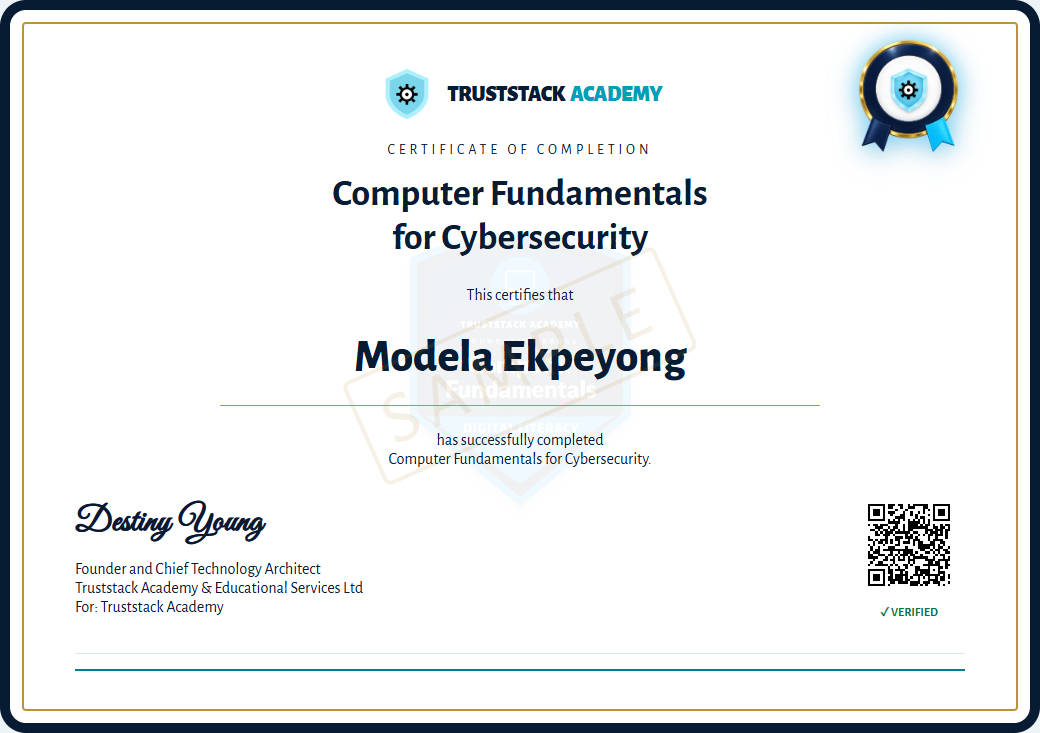
An issued certificate carries a unique ID, verification link and QR code. A cryptographic hash supports integrity checking, while the TrustStack issuance record confirms validity. The preview shown here is a sample and is not valid.
Registration is open. Complete the free registration form, then save the passcode shown after registration and use it to sign in and start learning. Do not send identity documents by email.